
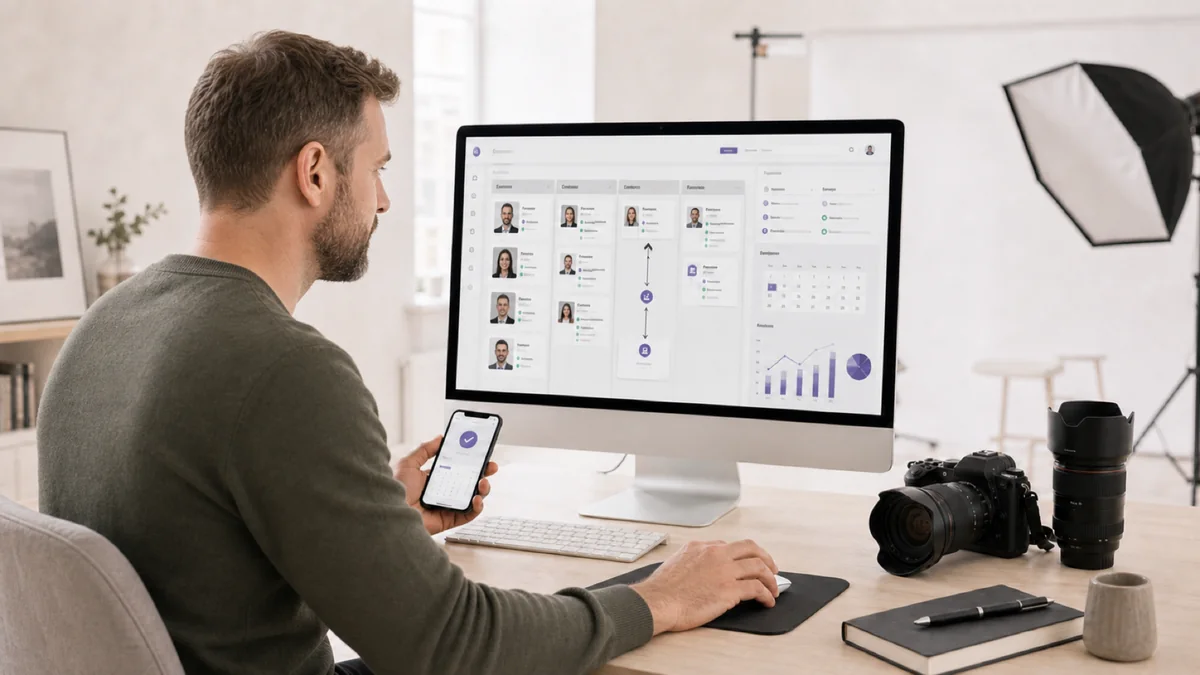
Nach einem langen Shooting-Tag wartet der zweite Job: unbeantwortete Anfragen, Angebote schreiben, Termine abstimmen, Nachfassen. Das Fotografieren selbst ist nur ein Teil der Arbeit – dazu kommen Bildbearbeitung und jede Menge Organisation. Ein CRM nimmt dir vor allem den Organisationsteil ab. Ein CRM für Fotografen (Customer Relationship Management) bündelt genau diese Organisation an einem Ort: Kontakte, Kundenverwaltung, Shooting-Historie und Kommunikation. Statt zwischen Postfach, Kalender und Excel-Tabelle zu springen, arbeitest du in einem System.
Die folgenden fünf Tipps sind auf den Alltag im Fotostudio zugeschnitten – egal, ob du als Einzelunternehmer:in arbeitest oder ein kleines Team führst. Kein Software-Vergleich, sondern konkrete Weichenstellungen, die dir Zeit sparen und verhindern, dass Anfragen im Chaos untergehen.
Aus der Praxis: In der Arbeit mit Fotostudios sehen wir immer wieder, dass der Unterschied selten an der Software liegt, sondern am konsequenten Dranbleiben: Studios, die ihr Nachfassen systematisch statt aus dem Bauch heraus betreiben, holen aus denselben Anfragen spürbar mehr Buchungen.
1. Zentrale Kundendatenbank: Schluss mit dem Zettelchaos
Der erste Schritt zu professionellem Kundenmanagement ist eine zentrale Datenbank. Viele Fotografen verwalten Kontakte noch über Excel, Notiz-Apps oder handschriftliche Zettel. Das Problem: Informationen gehen verloren, Anfragen werden übersehen, und beim dritten Shooting mit demselben Kunden weißt du nicht mehr, welchen Bildstil er mochte.
Was in deine Kundendatenbank gehört
- Kontaktdaten – Name, E-Mail, Telefon, Adresse und ggf. Social-Media-Profil
- Shooting-Historie – Art des Shootings, Datum, Ort und gebuchtes Paket
- Präferenzen – bevorzugter Bildstil, Lieblingslocation, besondere Wünsche
- Kommunikationshistorie – E-Mails, Telefonate und Notizen auf einen Blick
- Umsatzdaten – bisheriger Umsatz, offene Rechnungen, durchschnittlicher Auftragswert
- Quelle – wie der Kunde auf dich gestoßen ist (Empfehlung, Google, Instagram)
Praxistipp: Erfasse bei jeder Anfrage konsequent die Quelle. Nach einigen Monaten siehst du schwarz auf weiß, welche Kanäle tatsächlich Buchungen bringen – und wo dein Budget besser aufgehoben wäre. Viele auf die Fotobranche zugeschnittene CRM-Systeme bringen dieses Quellen-Tracking bereits mit.
Eine gepflegte Kundendatenbank ist mehr als eine Kontaktliste – sie ist dein Gedächtnis für Geschäftsbeziehungen. Siehst du bei der nächsten Anfrage eines Stammkunden sofort, dass er zuletzt das Premium-Paket gebucht hat und Outdoor-Shootings bevorzugt, machst du ihm in Sekunden ein passendes Angebot statt in umständlichem Hin und Her.
2. Automatisierte Workflows: Dein digitaler Assistent
Stell dir vor, jede neue Anfrage löst automatisch eine Kette aus: Bestätigungsmail raus, Terminvorschlag im Kalender, Aufgabe zur Angebotserstellung, und nach drei Tagen ohne Antwort eine freundliche Erinnerung. Genau das leisten automatisierte Workflows im CRM – Standardabläufe, die im Hintergrund laufen, auch wenn du gerade hinter der Kamera stehst.
Die drei wichtigsten Workflows fürs Fotostudio
Anfrage-Workflow: Geht eine Anfrage über deine Website ein, sollte der Kunde binnen Minuten eine professionelle Bestätigung erhalten. Schnelligkeit entscheidet: Wer innerhalb weniger Minuten statt erst nach Stunden antwortet, erreicht Interessenten, solange die Anfrage noch frisch ist – und wer sich zuerst meldet, ist als Erster im Gespräch. Ein Auto-Responder sichert diesen Vorsprung, während du im Shooting bist.
Buchungs-Workflow: Nach der Zusage folgt ein wiederkehrender Ablauf – Vertrag versenden, Anzahlung einfordern, Briefing zusenden, Termin und Location bestätigen. Diese Schritte lassen sich einmal einrichten und automatisch an den richtigen Zeitpunkt koppeln.
Nachbearbeitungs-Workflow: Nach dem Shooting stehen Bildbearbeitung, Galeriebereitstellung, Rechnung und Zufriedenheitsabfrage an. Ein Workflow erinnert dich an jeden Schritt und verschickt zeitgesteuerte Nachrichten an den Kunden.
Konkret automatisieren lassen sich zum Beispiel:
- Willkommensmail direkt nach dem Erstkontakt
- Erinnerung an die ausstehende Vertragsunterschrift nach 48 Stunden
- Shooting-Erinnerung 3 Tage und 1 Tag vorher
- Benachrichtigung, sobald die Galerie fertig ist
- Feedback-Anfrage rund eine Woche nach der Galeriefreigabe
- Jahrestags-Erinnerung bei Paar- und Hochzeitsfotografie
Automatisierung macht deinen Service nicht unpersönlich – im Gegenteil. Weil die Standardprozesse von allein laufen, bleibt dir mehr Zeit für die persönlichen Momente, die deine Kunden wirklich schätzen.
3. Follow-up-System: Keine Anfrage mehr verlieren
Viele Fotografen verschicken ein Angebot und warten dann passiv ab. Kommt keine Antwort, wird der Kontakt abgehakt. Dabei entscheidet sich manche Buchung erst beim zweiten oder dritten Kontakt – ein freundliches Nachfassen kostet dich wenig und holt Anfragen zurück, die sonst still verfallen wären.
Ein CRM legt zu jeder offenen Anfrage automatisch eine Wiedervorlage an, sodass du keinen Kontakt vergisst. Es geht nicht um aggressives Nachhaken, sondern um wertschätzende, klug getimte Erinnerungen.
Eine Follow-up-Strategie in vier Stufen
- Tag 1 – Angebot: professionell, persönlich, mit klarem Mehrwert. Leg Beispielbilder bei, die zum angefragten Shooting-Typ passen.
- Tag 3 bis 4 – Nachfrage: kurz nachhaken, ob das Angebot angekommen ist und ob Fragen offen sind. Biete an, Details telefonisch zu klären. Das wirkt engagiert, nicht aufdringlich.
- Tag 7 bis 10 – Mehrwert: nützliche Info nachschieben, etwa Tipps zur Shooting-Vorbereitung oder Outfitwahl aus deinem Beitrag zu Marketing-Strategien für Fotografen. So positionierst du dich als Expert:in.
- Tag 14 bis 21 – letzter Impuls: ein Hinweis auf begrenzte Verfügbarkeit oder ein besonderes Angebot. Danach wandert der Lead in eine Reaktivierungsliste statt in den Papierkorb.
Aus der Praxis: Der Unterschied liegt selten am Angebot, sondern am Dranbleiben. Studios, die ihr Nachfassen systematisch statt aus dem Bauch heraus betreiben, holen spürbar mehr Buchungen aus denselben Anfragen – ohne einen einzigen neuen Lead zu brauchen.
4. Reporting und Kennzahlen: Datenbasiert entscheiden
Erst wenn du deine Anfrage-zu-Buchung-Quote kennst, siehst du, ob dein Angebotsprozess funktioniert. Ein gutes CRM liefert dir die Kennzahlen, mit denen du Entscheidungen auf Fakten statt auf Bauchgefühl stützt.
Die wichtigsten Kennzahlen für Fotografen
- Conversion Rate: Wie viele Anfragen werden zu Buchungen? Eine dauerhaft niedrige Quote deutet auf die falsche Zielgruppe oder einen holprigen Angebotsprozess hin.
- Durchschnittlicher Auftragswert: Steigt oder fällt er? Welche Pakete laufen am besten? Das hilft dir, dein Pricing zu schärfen.
- Akquisekosten pro Kanal: Was kostet dich ein neuer Kunde über Google, Instagram oder Empfehlung? Jeder Kanal rechnet sich anders.
- Wiederbuchungsrate: Wie viele Kunden buchen ein zweites Mal? Ein starker Indikator für Zufriedenheit und Kundenbindung.
- Reaktionszeit: Wie schnell beantwortest du Anfragen? Ein oft unterschätzter Erfolgsfaktor (siehe Tipp 2).
- Saisonale Verteilung: Wann kommen die meisten Anfragen, welche Monate sind die umsatzstärksten?
Auf einem CRM-Dashboard hast du diese Werte jederzeit im Blick. Das ist gerade in der DACH-Region wertvoll, wo die Saisonalität stark ausschlägt – Hochzeitssaison, Weihnachts-Shootings, Abi-Fotos.
Datenbasierte Preisgestaltung
Ein Beispiel: Angenommen, dein CRM zeigt im Sommer eine nahezu volle Auslastung, im November dagegen viele freie Termine. Die naheliegende Konsequenz ist eine saisonale Preisstruktur – in der Hochsaison etwas höher, in der Nebensaison mit attraktiven Paketen, die Lücken füllen. Ohne verlässliche Daten bliebe diese Entscheidung reines Bauchgefühl.
5. Online-Buchungen und Kundenportal: Professionell von Anfang an
Entdeckt ein Interessent dein Angebot – etwa über Werbekampagnen für Fotografen – sollte der Weg zur Buchung so kurz wie möglich sein. Ein Online-Buchungssystem, das mit deinem CRM verknüpft ist, macht genau das möglich.
Was ein Online-Buchungssystem bringt
- Rund um die Uhr buchbar: Kunden können auch spätabends einen Termin anfragen, ohne auf deine Erreichbarkeit angewiesen zu sein.
- Weniger Reibung: Jeder zusätzliche Schritt kostet Interessenten. Direkte Buchung senkt die Hürde spürbar.
- Automatische Kalendersynchronisation: Doppelbuchungen werden deutlich unwahrscheinlicher, weil freie und belegte Zeiten automatisch abgeglichen werden.
- Bessere Datenqualität: Gibt der Kunde seine Daten selbst ein, entfallen Übertragungsfehler beim Abtippen – die Daten landen direkt in seiner Schreibweise im System.
- Professioneller Auftritt: Ein Kundenportal, in dem der Kunde Buchungen einsieht, Dokumente hochlädt und seine Online-Galerie aufruft, hebt dich von der Konkurrenz ab.
Ein solches Portal ist zunehmend ein echtes Unterscheidungsmerkmal: Kunden buchen dort nicht nur, sondern sehen ihre Bilder, treffen ihre Auswahl und bestellen Abzüge.
Bonus: CRM-Einführung richtig planen
Die beste Software nützt nichts, wenn sie im Alltag liegen bleibt. Drei Punkte für einen Start, der hält:
Klein anfangen: Du musst nicht am ersten Tag jede Funktion nutzen. Beginne mit Kundendatenbank und Anfrage-Management, ergänze Workflows und Reporting später.
Bestehende Daten migrieren: Nimm dir einen Nachmittag, um vorhandene Kontakte zu übertragen. Je vollständiger die Datenbank von Anfang an ist, desto früher zahlt sich das System aus.
Routine entwickeln: Erfasse jede Interaktion direkt im CRM. Nach etwa zwei Wochen fühlt es sich normal an – und du willst nicht mehr ohne arbeiten.
Fazit: CRM ist kein Luxus, sondern Grundlage
Sobald dein Studio wächst, wird ein CRM vom Nice-to-have zum echten Zeitgewinn. Es pflegt Kundenbeziehungen, spart Zeit bei Routineaufgaben und liefert die Daten für bessere Entscheidungen.
Die fünf Tipps aus diesem Artikel – zentrale Kundendatenbank, automatisierte Workflows, systematisches Follow-up, datenbasiertes Reporting und ein Online-Buchungssystem – greifen ineinander. Wer sie konsequent umsetzt, arbeitet nicht nur effizienter, sondern schafft auch ein spürbar besseres Kundenerlebnis. Der beste Zeitpunkt anzufangen ist die nächste Anfrage, die sonst untergegangen wäre.
Hinweis: Die Ausführungen zur DSGVO sind allgemeine Informationen und ersetzen keine Rechtsberatung. Für deinen konkreten Fall ziehe bitte fachkundige Beratung hinzu.
Ein gutes CRM ordnet, was schon da ist – neue Anfragen erzeugt es nicht. Genau hier setzt ADON Solutions an: mit Werbekampagnen für Fotografen und besserer Sichtbarkeit bei Google, die planbar neue Anfragen liefern – die dein CRM dann sauber durch den Prozess führt. Seit über acht Jahren arbeiten wir dafür mit Fotostudios.
Wie ein CRM speziell für die Fotobranche aussieht, zeigt unser Schwesterprodukt ADON FotoBusiness. Wenn aus Wissen konkrete Buchungen werden sollen, lass uns unverbindlich sprechen – im kostenlosen Erstgespräch schauen wir gemeinsam auf deinen Anfrage- und Buchungsprozess.
Häufige Fragen (FAQ)
Brauche ich als Fotograf überhaupt ein CRM?
Sobald mehr Zeit für E-Mails, Angebote und Nachfassen draufgeht als fürs Fotografieren, lohnt sich ein CRM. Es bündelt Kontakte, Shooting-Historie und Kommunikation an einem Ort, damit keine Anfrage mehr übersehen wird. Gerade als Einzelunternehmer:in oder kleines Studio gewinnst du so Zeit für die persönlichen Momente, die deine Kunden schätzen.
Excel oder CRM – was ist besser fürs Fotostudio?
Eine Excel-Tabelle reicht am Anfang, stößt aber schnell an Grenzen: Informationen gehen verloren, Anfragen werden übersehen, Präferenzen wie der bevorzugte Bildstil sind nicht griffbereit. Ein CRM speichert Kontaktdaten, Shooting-Historie und Kommunikation zentral und kann zusätzlich Follow-ups und Termine automatisieren – das leistet eine Tabelle nicht. Für den Start migrierst du deine bestehenden Kontakte einfach ins CRM.
Was kostet ein CRM für Fotografen?
Die Preise reichen von günstigen Einstiegstools für einzelne Fotografinnen und Fotografen bis zu umfangreicheren Studio-Lösungen mit Online-Buchung und Kundenportal. Sinnvoll ist, klein anzufangen – etwa mit Kundendatenbank und Anfrage-Management – und den Funktionsumfang erst zu erweitern, wenn der Nutzen im Alltag ankommt. So zahlst du nur für das, was du wirklich brauchst.
Muss ich beim CRM und automatisierten E-Mails die DSGVO beachten?
Ja. In einem CRM speicherst du personenbezogene Daten wie Name, E-Mail und Kommunikationshistorie, deshalb sollten Erhebung und Verarbeitung transparent und auf einer sauberen Rechtsgrundlage erfolgen. Für automatisierte Follow-ups und Marketing-Nachrichten ist eine nachvollziehbare Einwilligung wichtig; ein Kundenportal, in dem Kunden ihre Daten selbst eingeben, verbessert nebenbei die Datenqualität. Die rechtlichen Details klärst du am besten mit fachkundiger Beratung.
Reicht ein normales CRM oder brauche ich eins speziell für Fotografen?
Ein allgemeines CRM verwaltet Kontakte, bildet fotospezifische Abläufe wie Shooting-Briefings, Galeriebereitstellung oder saisonale Auslastung aber oft nur umständlich ab. Auf die Fotobranche zugeschnittene Lösungen bringen Funktionen wie Online-Buchung, Kundenportal und Quellen-Tracking direkt mit. Für viele Studios ist der Unterschied im Alltag deutlich spürbar.
Mehr Struktur für dein Fotobusiness?
Wenn aus Wissen konkrete Anfragen werden sollen, unterstützt ADON Solutions dich mit Kampagnen, Landingpages und mehr Sichtbarkeit.
Kostenloses Erstgespräch